How to Download Kuaishou Videos on Android Without App
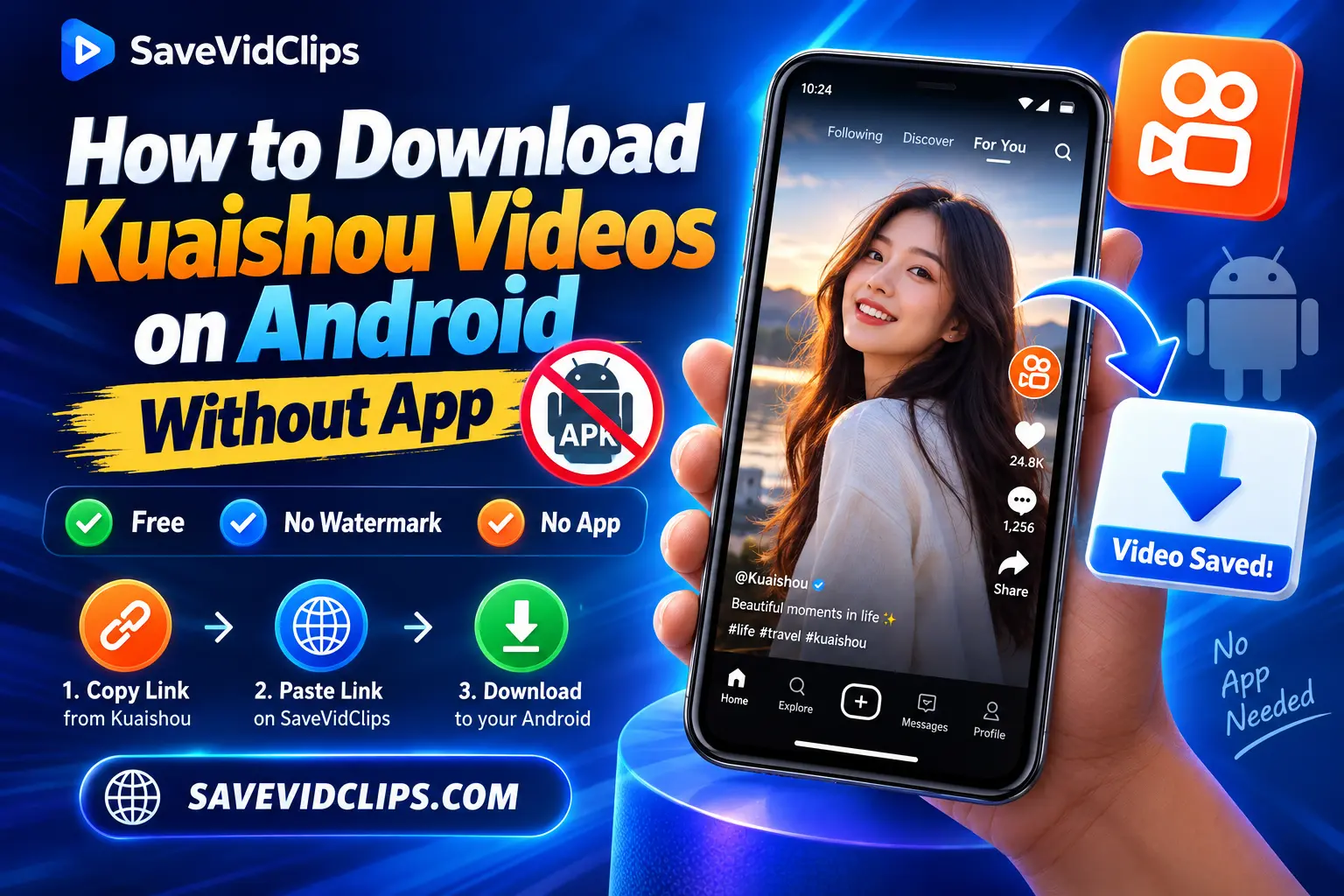
Quick answer: You do not need to install a separate app to download a public Kuaishou video on Android. Open Kuaishou or Kwai, copy the video’s share link, then open SaveVidClips in Chrome or another mobile browser. Paste the link, check the video thumbnail, and tap Download. The video can then be found in your phone’s Downloads folder.
You do not need to install a separate app to download a public Kuaishou video on Android. Open Kuaishou or Kwai, copy the video’s share link, then open SaveVidClips in Chrome or another mobile browser. Paste the link, check the video thumbnail, and tap Download. The video can then be found in your phone’s Downloads folder.
Kuaishou does not always provide a direct save option for every video, which is why many Android users look for an online Kuaishou video downloader instead. A browser-based tool can be useful when you want to save a public video without installing another application on your phone.
Why Doesn’t Kuaishou Let You Save Videos Directly on Android?
If you’ve looked for a save option inside the Kuaishou or Kwai app and couldn’t find one, that’s expected — it isn’t there for most videos. Kuaishou, like other short-video platforms, limits in-app downloading so creators keep more control over who reposts their content. This has nothing to do with your phone, its brand, or your Android version — it works the same way on a Samsung, a Xiaomi, or a Pixel.
This is exactly why an online Kuaishou video downloader exists. It works outside the app, using the public video link instead of an in-app save button, which is why it can do something the official app doesn’t offer.
How to Download Kuaishou Videos on Android Without an App
The process is simple and takes only a few steps. You just need the Kuaishou video link and a browser on your Android phone.
Find the Kuaishou Video and Copy Its Link
Open the Kuaishou or Kwai app on your Android phone and find the video you want to download.
With the video open, tap the Share button. You should see several sharing options. Select Copy Link to copy the video’s URL to your clipboard.
Make sure you copy the actual video link, not the creator’s profile link or the video caption. The share link is what the online downloader uses to locate the video.
Open SaveVidClips and Paste the Video Link
Now open Chrome or another browser on your Android phone and visit SaveVidClips.com.
You don’t need to install an APK or a separate downloader app. Find the input field on the website and paste the Kuaishou link you copied earlier. Then tap the button to process the link.
Give the page a moment to load the video information.
Confirm the Video by Its Thumbnail and Hit the Download Button
Once the link has been processed, check the video thumbnail shown on the page. This gives you a quick way to make sure the correct video was found before you download it.
If the thumbnail matches the Kuaishou video you wanted, tap the Download button. Your Android browser will then handle the download.
Where Does Kuaishou Video Save on Android?
Android and iPhone handle this a little differently, which is why the file can feel like it “disappeared” right after downloading.
| Device | Where the file goes | How to find it |
|---|---|---|
| Android | Downloads folder (not Gallery, by default) | Open Files / My Files / File Manager → Downloads, or check Chrome’s own Downloads list |
| iPhone | Photos or Files app, depending on browser | See our iPhone download guide |
Some Android phones will also show the video in the Gallery or Photos app once the system finishes scanning the file. If you don’t see it there yet, check the Downloads folder first — that’s almost always where it lands.
Browser-Based Downloader vs. a Downloader App: Which Is Better on Android?
A separate downloader app is not required to save a public Kuaishou video on Android — a browser-based tool does the same job, with a few real advantages once you compare the two side by side.
| Feature | Browser-based Tool (SaveVidClips) | Kuaishou Downloader App/APK |
|---|---|---|
| Installation | None — works in Chrome | Requires installing an APK |
| Storage Used | None | Takes up phone storage |
| Security Risk | Low — nothing installed | Higher — unverified APKs can carry malware |
| Updates | Handled automatically on the website | You must manually update the app |
| Registration | Not required | Often asks for sign-up or permissions |
For occasional downloads, using the browser saves you an unnecessary installation and keeps another app from taking up space on your phone. There’s also no need to move the video link to a computer just to save one clip — the whole process stays on the same phone you’re already using.
Can You Download Kuaishou Videos Without Watermark?
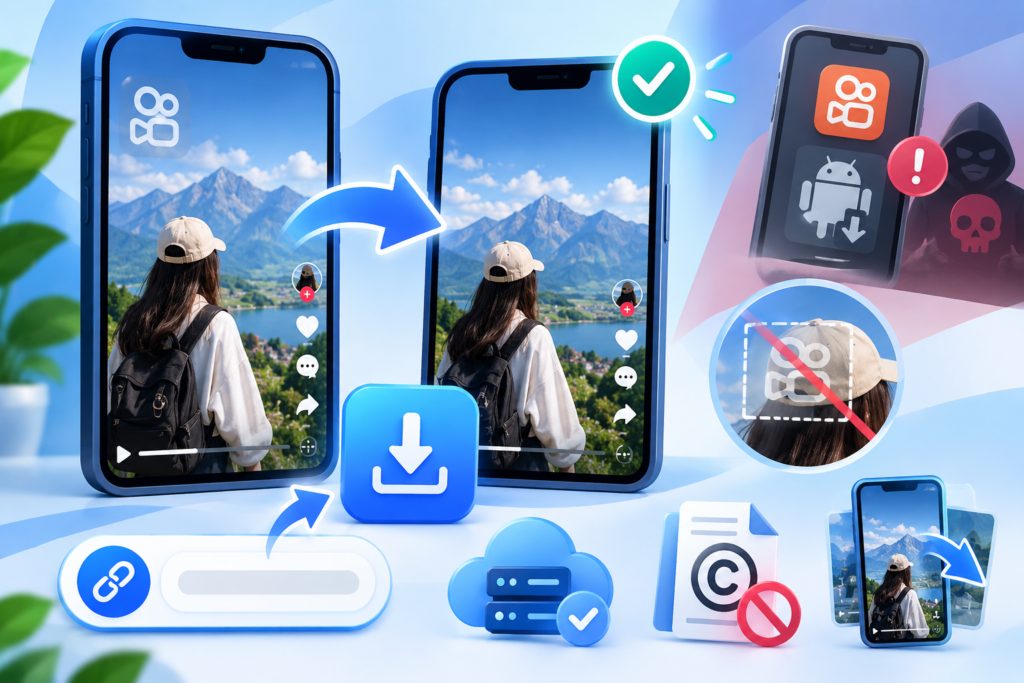
A clean version may be available for supported Kuaishou and Kwai videos. However, the result depends on the source available for that particular video.
There’s an important difference between a platform watermark and a watermark that’s permanently part of the original video. A downloader may be able to provide a clean source when one is available, but it cannot recreate image areas that were already covered and saved into the original file.
For the best result, use the original Kuaishou share link instead of a re-uploaded copy. That gives the downloader the best chance of finding the original source.
Also remember that removing or avoiding a watermark does not give you ownership of the video. Downloading someone else’s content and reposting it can involve copyright issues.
Kuaishou Video Downloader Not Working on Android?
A failed download does not always mean there’s a problem with the downloader. The copied link, the source video, your internet connection, or the browser can all cause problems. Try these common fixes before giving up.
The Kuaishou Link Is Not Working
Go back to the original video in Kuaishou or Kwai and copy the link again using Share → Copy Link.
Make sure you’re not pasting a creator profile URL or another general page address. A fresh video link is often the first thing worth trying when a URL isn’t processed correctly.
The Download Is Stuck or Not Starting
Check your internet connection first. If you’re using mobile data, try a stable Wi-Fi connection and start the download again.
You should also check how much free storage is left on your Android phone. A nearly full device may not be able to save a new video correctly.
Refreshing SaveVidClips and pasting the link again can also help when the page has temporarily failed to process the request.
The Download Button Is Not Responding
Wait for the video information to finish loading before tapping the download button.
If the button still doesn’t respond, refresh the page and try the link again. It can also help to use an updated version of Chrome or another modern browser.
The Video Is Private, Deleted, or Restricted
A downloader cannot retrieve a video that’s no longer publicly accessible.
The creator may have deleted the video, changed its privacy settings, or restricted access. Open the original Kuaishou video first. If it no longer plays there, the source itself may not be available.
The Video Downloaded but I Cannot Find It
Check the Downloads folder in your Files or File Manager app.
You can also open your browser’s download history. If the file isn’t in the Gallery yet, don’t assume the download failed. Android may simply have saved it in Downloads instead.
Still Having Trouble?
Go through this order:
- Open the original Kuaishou video.
- Copy a fresh link with Share → Copy Link.
- Open SaveVidClips in your browser.
- Paste the link again.
- Check that the thumbnail matches the video.
- Retry the download using a stable connection.
If the same public video continues to fail, the source may be temporarily unavailable.
Can I Download Private Kuaishou Videos?
No. A normal public-link Kuaishou video downloader can only work with videos that are publicly accessible.
If a video is private, restricted, or deleted, the downloader cannot simply bypass those access settings. Even if you have seen the video before, that doesn’t mean its source is available through a public URL. The easiest check is to open the original Kuaishou or Kwai link. If the video isn’t accessible there, an online downloader will generally not be able to retrieve it either.
Is It Safe to Download Kuaishou Videos on Android?
Using a browser-based downloader can be a simpler option than installing an unknown downloader APK. There’s no separate application to install, and you can complete the download through your normal Android browser.
A few basic habits are still worth following:
- Avoid unnecessary APK downloads. Be careful with websites that tell you to install an APK before you can download a Kuaishou video. For a simple browser-based download, an extra installation is usually unnecessary.
- Be careful with fake download buttons. Some third-party pages contain multiple buttons, pop-ups, or install prompts. Make sure you’re tapping the actual download option and don’t install software simply because a pop-up asks you to.
- Never enter your Kuaishou password. A public video link is enough for a normal browser-based downloader. You shouldn’t need to enter your Kuaishou or Kwai account password into a downloader website.
- Keep your browser updated. Using an updated Android browser is a good security habit and can also help prevent compatibility problems with modern websites.
Is It Legal to Download Kuaishou Videos?
Downloading a video and reusing that video are two different things.
Saving a video that you created yourself is the simplest case. Problems can arise when you download someone else’s content and then repost it, use it commercially, or present it as your own.
For example, saving a public cooking video so you can watch it offline is different from downloading that video and uploading it to your own YouTube or TikTok account.
Copyright rules vary by country and by how the content is used. When you plan to repost or monetize someone else’s video, getting permission from the copyright holder is the safer approach. For a full country-by-country breakdown, see the legal section on our main Kuaishou downloader page.
A simple rule is worth remembering: Download access does not equal reuse permission.
What Most Guides Don’t Tell You
A few details rarely get mentioned, but they matter:
- Kuaishou and Kwai are the same app. Kuaishou is the name used inside China; Kwai is the same platform under its international name. A Kuaishou video downloader that supports one link format supports the other automatically.
- Bulk downloading isn’t really “one click.” Each video needs its own link copied and pasted — that’s intentional on the platform’s side, not a downloader limitation.
- SaveVidClips also pulls photos and audio, not just video — useful if you only want the sound from a clip as an MP3.
- A slow download is usually the network, not the tool. Most Kuaishou videos process in a few seconds on a stable connection; anything longer almost always traces back to Wi-Fi or server load, not the downloader.
Frequently Asked Questions