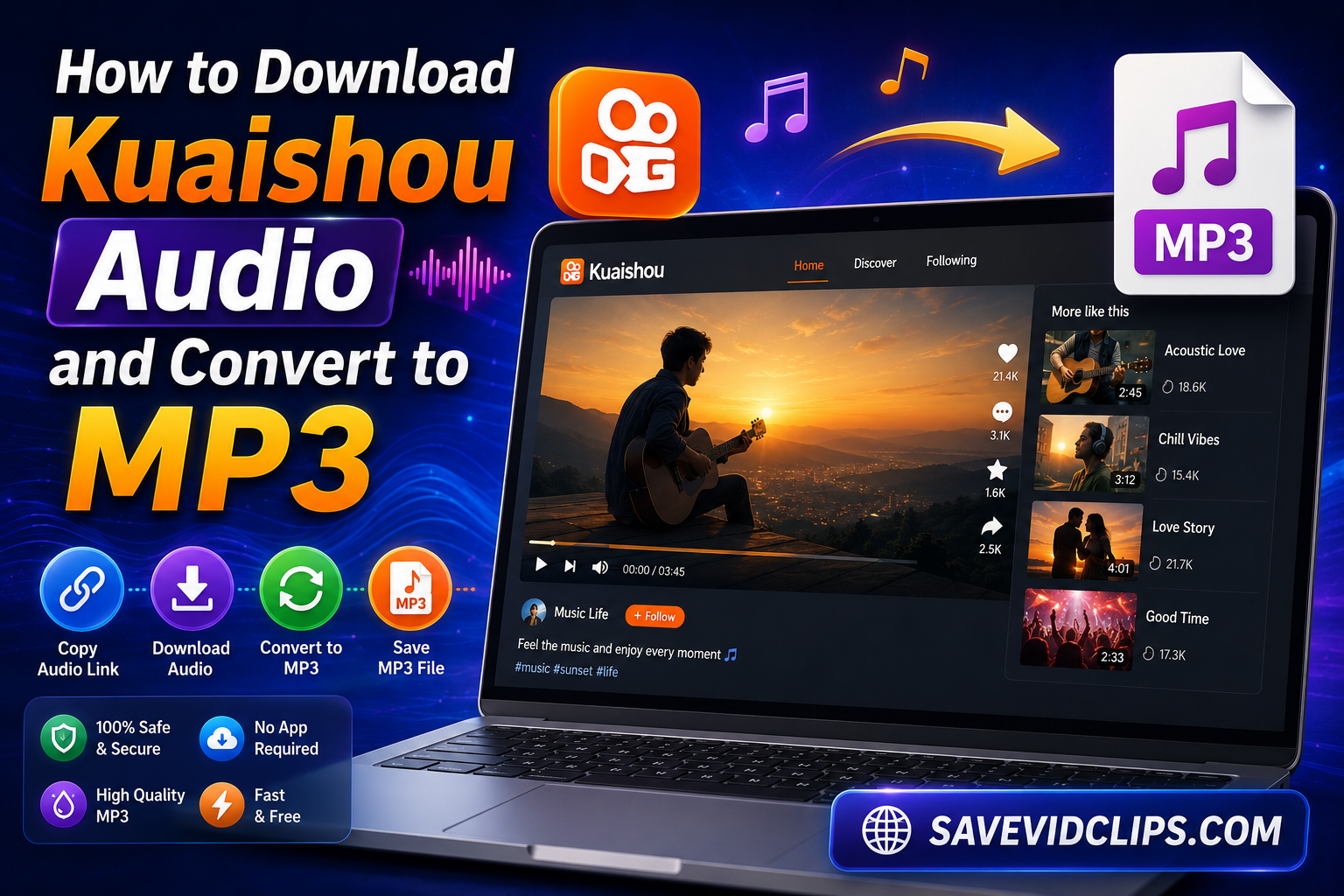
How to Download Kuaishou Audio and Convert to MP3
Kuaishou videos carry some of the most unique sounds on the internet. We all see heartening voice-overs, trending music, and motivational clips that we cannot find on Spotify or YouTube. You wish to use these magical voices as you
But the main concern arises here, as the Kuaishou feed carries audio along with the videos as well. But no worries, this guide covers all your questions and confusion related to the topic, and the good news is that you can easily download your desired audio from our Kuaishou audio downloader, and with simple steps, convert it to MP3
Why Do People Download Kuaishou Audio as MP3?
Kuaishou (internationally known as Kwai) has grown to 700 million monthly active users. It was developed by Beijing Kuaishou Technology Co., which is one of the top short-video platforms in the world, rivaling TikTok and Instagram Reels.
Despite having engaging visual content, Kuaishou’s audio content is equally powerful to its video content. Here is why you would look for a way to download Kuaishou audio MP3
Custom ringtones — Set your phone ringtone from your favorite Kuaishou clips and enhance your mobile experience
Offline listening — You might love to hear your favorite audiobooks when there is no internet access
Content creation — You can use different sound effects and memes in your edits and podcasts
Storage efficiency — MP3 files are 80–90% smaller than full video files. Converting to MP3 ensures maximum compatibility.
Motivational clips — Whenever you are feeling demotivated, you can listen to the motivational Kuaishou audio you saved to regain your motivation.
Educational reference — Educational audio content on your Kuaishou feed might help you in restoring your academic health.
How to Download Kuaishou Audio and Convert to MP3 — Step by Step
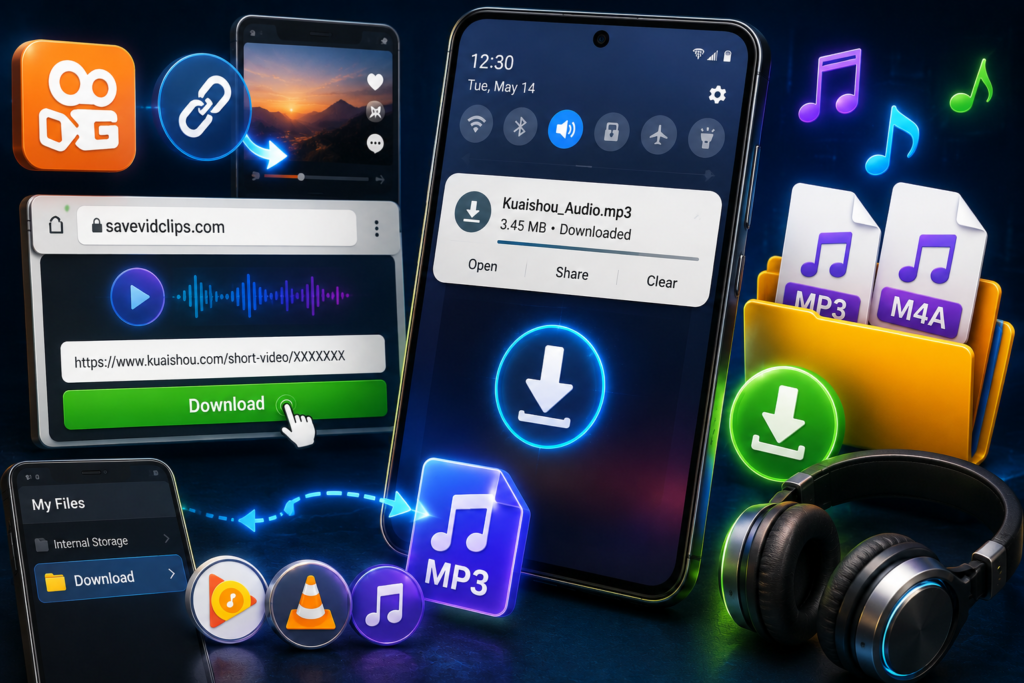
The first step is to grab the audio file by using our downloader. Using our Kuaishou audio downloader tool, the whole process takes less than 2 minutes
Step 1 — Copy the Kuaishou Video Link
Find the video on the Kuaishou app or website whose audio you want to save.
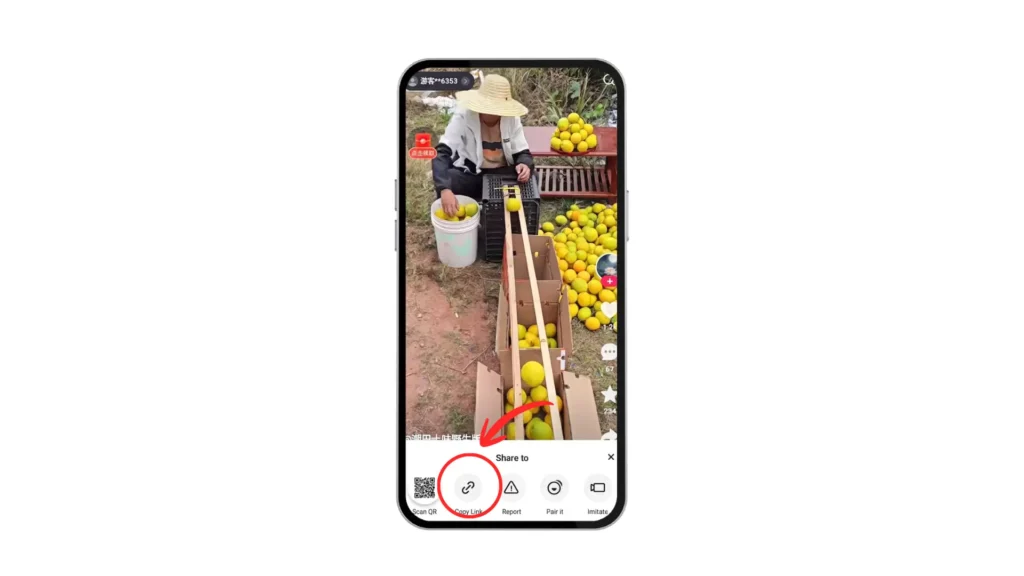
- On the Kuaishou app (mobile): Tap the Share icon → select Copy Link
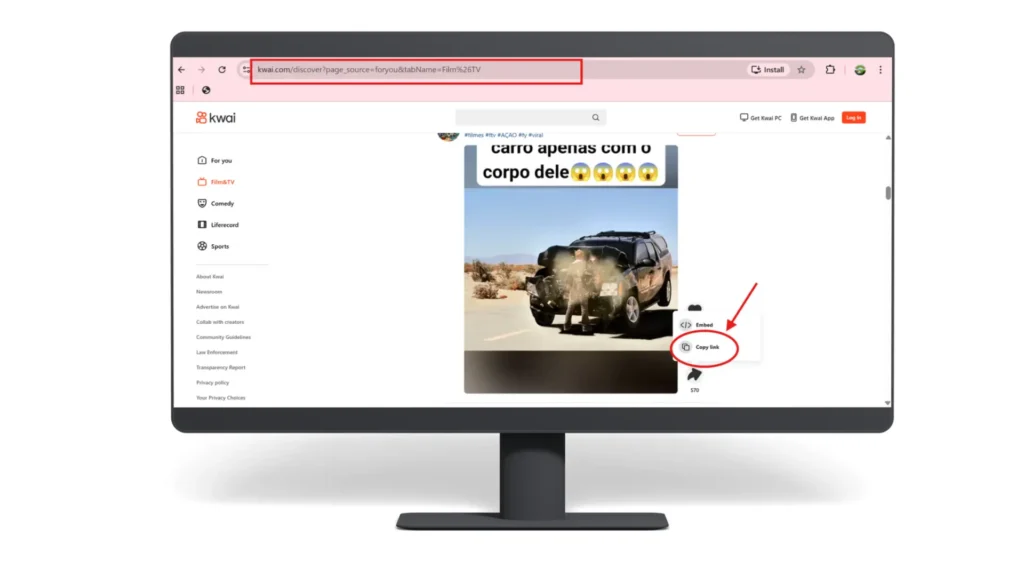
- On kuaishou.com (desktop): Copy the URL directly from your browser’s address bar.
For better results, make sure that you copy the complete video URL rather than a shortened preview link.
Step 2 — Open SaveVidClips.com in Your Browser
After getting the specific link, it’s time to use our tool now. Go to SaveVidClips.com using any browser — Chrome, Safari, Firefox, or Edge. The tool is entirely browser-based, so no downloads or sign-ups are needed
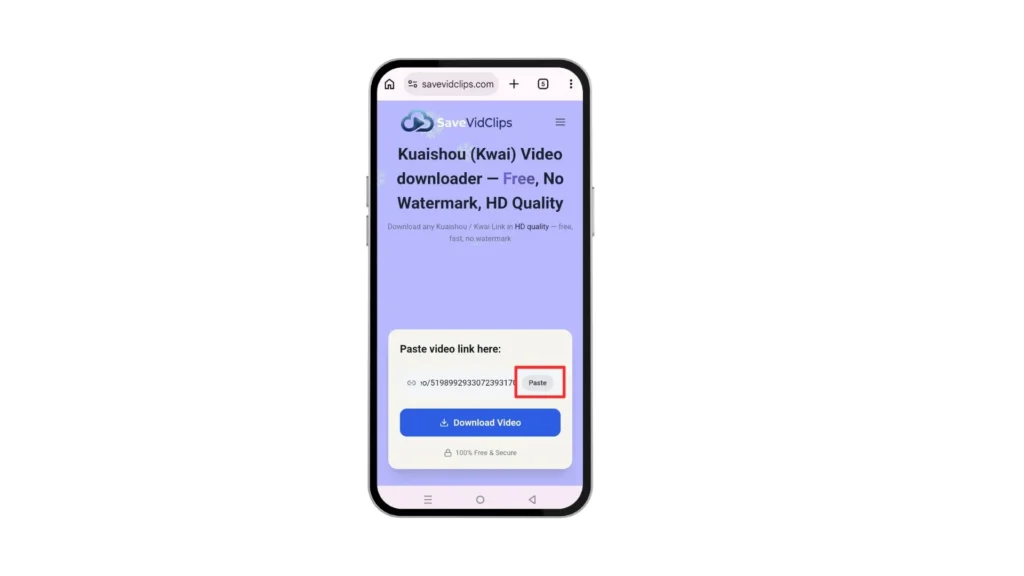
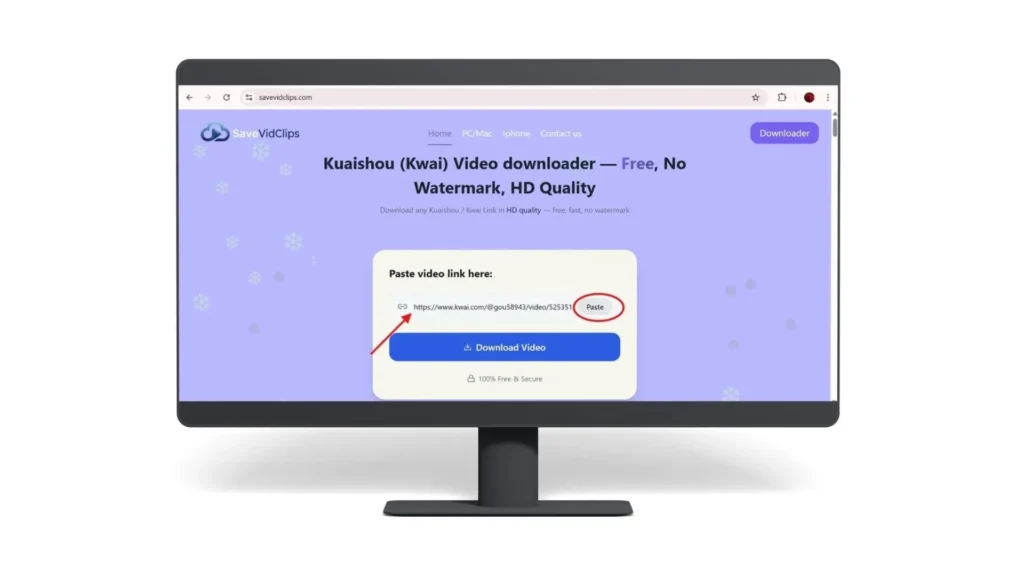
Step 3 — Paste the Link and Click Download
Paste the copied Kuaishou URL into the input field on the homepage and hit the Download button. The tool will analyze the video and display the available download formats within seconds. You would also see the thumbnail of the specific URL you copied, just for your confirmation.
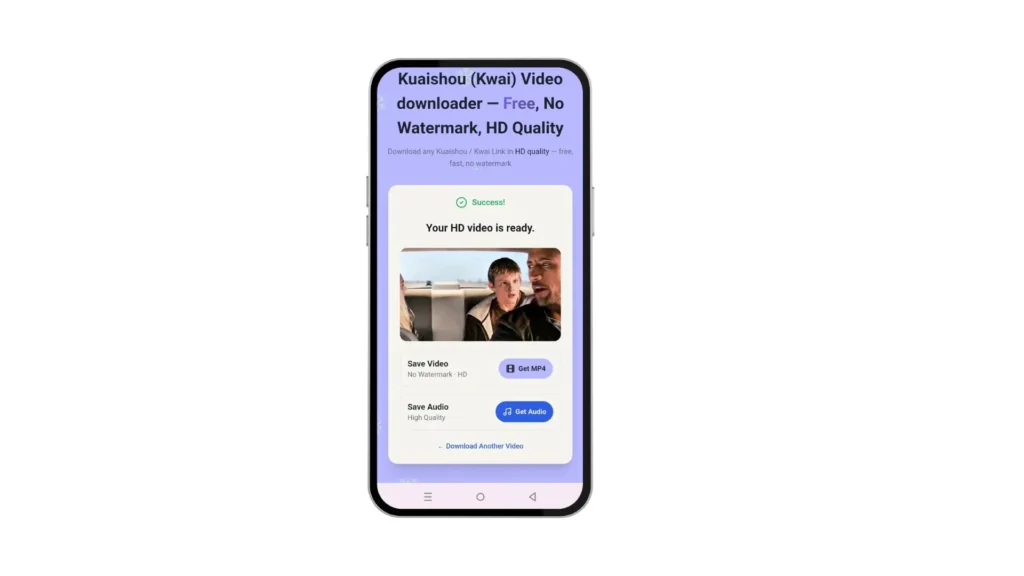
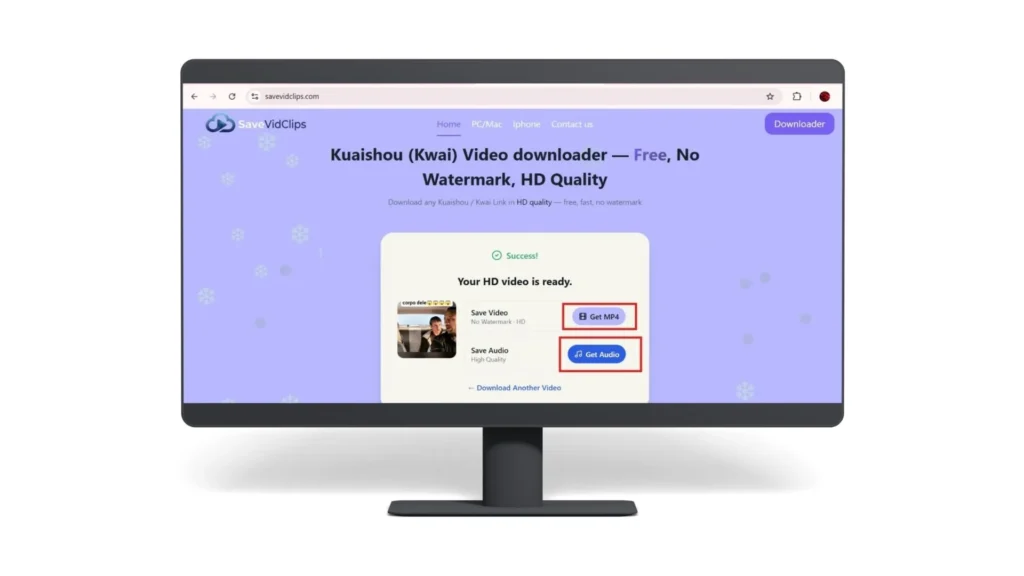
Step 4 — Select the Audio Option and Save
From the download options shown, select the audio format. Click download, and your audio file will be saved directly to your device.
Why convert M4A Audio to MP3?
Although M4A carries great quality, MP3 is still considered one of the best audio formats. Below is the comparison table and the answer to your question of why MP3 is better than other format.
| Format | File Size | Audio Quality | Device Compatibility | Best Use Case |
|---|---|---|---|---|
| MP3 ✓ Best |
Small | Good (lossy) | Ringtones, offline listening, general use | |
| M4A (AAC) |
Small | Slightly better | iPhones, iPads, modern players | |
| WAV |
Very large | Lossless | Audio editing, production work | |
| OGG |
Small | Good | Gaming, web apps |
My recommendations for online MP3 converters
| Rank | Converter | Best For | Platform | Free/Paid | Credits / Limits |
|---|---|---|---|---|---|
| 🥇 #1 | CloudConvert | Highest-quality online conversions | Web | Freemium | ✅ Free plan available. Uses conversion credits. Limited conversions per day/month. |
| 🥈 #2 | FreeConvert | Fast and beginner-friendly online conversion | Web | Freemium | ✅ Free plan available. No credit system, but file size and daily usage limits apply. |
| 🥉 #3 | VLC Media Player | Completely free offline conversion | Windows, Mac, Linux | 100% Free | ✅ No credits. ✅ No limits. ✅ Unlimited conversions. |
Steps to convert m4a to mp3
1- Go to any of the three converter tools mentioned above
2- See the option, such as “Upload a file” or “Choose a file.”
3- Upload the Kuaishou audio track you downloaded using savevidclips.com. You can also drag and drop it from the download section
4- Select convert to MP3 from output format and press the convert button
5- The tool will perform the conversion, and you will get a download button for your MP3 Kuaishou audio
How to Download Kuaishou Audio on iPhone (Free, No App)
Apple’s Safari browser makes this easier than most people expect.
- Open Safari and go to SaveVidClips.com
- Paste your Kuaishou video link and tap Download
- When the audio link appears, tap and hold it
- Select “Download Linked File” from the pop-up menu
- Open the Files app → Downloads to find your saved audio

How to Download Kuaishou Audio on Android
Android handles file downloads more openly, making the process even smoother.
- Copy the Kuaishou video link from the app
- Open Chrome (or any browser) and visit SaveVidClips.com
- Paste the link and tap Download
- Select the audio option — the file will download automatically to your Downloads folder
- Open it directly from your notification bar or locate it using a File Manager app
Why SaveVidClips Is the Best Tool for Kuaishou MP3 Download
No Account Required
Unlike other tools, our Kuaishou downloader tool requires no login or signup process. Just paste and download.
100% Free
The tool has no hidden fees or subscriptions. It is totally free.
Cross-Platform
The tool supports all platforms, including iPhone, Android, Windows, Mac, and Linux.
No Watermarks
Your audio file is clean and unbranded.
Fast Processing
The tool processes most Kuaishou links at an extra high speed, mainly within 5–10 seconds.
Safe & Private
The tool performs zero tracking of your downloads or personal data.
Troubleshooting Common Kuaishou Audio Download Problems
🔗 The Link Is Not Working
Always copy the full video URL from the address bar when using a desktop browser. Shortened share links can sometimes fail to process. If the issue persists, try opening the Kuaishou video in a browser first, then copying that URL.
🎵 The File Downloaded as M4A, Not MP3
This is normal — Kuaishou stores audio in AAC/M4A format natively. Simply use CloudConvert.com or other tools mentioned to convert the M4A file to MP3. It takes under 30 seconds.
🔊 The Audio Quality Is Low
Quality is determined by the original video’s audio bitrate. SaveVidClips downloads at the highest available quality — if the source is low quality, the output will reflect that.

Similar Posts
How to Download Kuaishou Videos on iPhone — Free, No Watermark, No App
Quick Answer To download Kuaishou videos on iPhone, the fastest and most reliable method is using SaveVidClips.com — a free, browser-based Kuaishou downloader that works directly in Safari or Chrome on any iPhone. No app installation, no account, no watermark. Just copy the video link from the Kuaishou or Kwai app, paste it into SaveVidClips,…
How to Download Kuaishou Videos on PC/Laptop (Complete Guide)
KEY Takeaways You can download Kuaishou (KS) videos on PC using free online tools, browser extensions, or desktop software. The easiest method is using a browser-based downloader like SaveVidClips.com — no software installation required. Always download videos for personal, offline use and respect content creator rights. Kuaishou video URLs can be copied directly from the…
How to Download Kuaishou Videos on Android Without App
Quick answer: You do not need to install a separate app to download a public Kuaishou video on Android. Open Kuaishou or Kwai, copy the video’s share link, then open SaveVidClips in Chrome or another mobile browser. Paste the link, check the video thumbnail, and tap Download. The video can then be found in your…
Kuaishou Video Downloader Troubleshooting
Kuaishou Video Downloader Not Working? 8 Common Problems & Fixes Intro: If your Kuaishou or Kwai video downloader isn’t working, the issue is almost always one of eight things: an incorrectly copied link, a private or removed video, a slow connection, a missed watermark setting, or a device-specific glitch. None of these mean SaveVidClips is…
What are Kuaishou and Kwai? Complete Guide
KEY Takeaways Kuaishou = the Chinese app name (快手, meaning “Fast Hands”). Kwai = the international brand used in markets like Brazil, Indonesia, India, and the Middle East. Founded in 2011 by Cheng Yixiao and Su Hua; publicly listed on the Hong Kong Stock Exchange in February 2021. As of Q2 2025: 715 million monthly…